Pellet 3D Printer Maintenance: A Complete Guide
Pellet 3D Printer Maintenance: A Complete Guide
Maintaining a 3D printer, especially a large-format 3D printer, is often what separates consistent production from
constant downtime. Whether you're running a production shop, pcccccrototyping lab, or small manufacturing
line, proper maintenance of your pellet 3D printer (also known as a granule 3D printer) directly impacts print
quality, machine lifespan, and overall efficiency.
Many users focus heavily on print settings but overlook maintenance until issues appear—clogging, inconsistent
extrusion, layer shifting, or poor surface finish. The good news is that most of these problems are preventable with
a structured maintenance routine.
Below is a practical guide based on real-world usage experience.
1. Daily Maintenance: Keep the Machine Stable
For any 3D printer, daily checks are the foundation of stable production.
Before starting a print job:
Wipe down the build platform and remove any leftover residue
Check the nozzle condition for early signs of clogging
Inspect motion components for dust or debris
Ensure the machine is properly leveled (especially important for a large-format 3D printer)
Confirm the feeding system is stable and consistent
Even a 5-minute inspection can prevent hours of failed prints.
2. Feeding System Care (Critical for Pellet Systems)
A pellet 3D printer/granule 3D printer relies heavily on a stable feeding mechanism. When the feeding system is
inconsistent, extrusion quality drops immediately.
Best practices:
Clean the hopper regularly to avoid contamination from leftover filament dust
Check feeding screws or augers for wear
Ensure smooth material flow without bridging or blockage
Keep humidity under control to maintain filament stability
Production environments often underestimate how quickly small inconsistencies in feeding can affect a large build.
3. Nozzle and Extrusion Maintenance
The extrusion system is where most performance issues appear.
Recommended routine:
Clean the nozzle after long print sessions
Run purge cycles if switching materials
Inspect for partial clogs when extrusion becomes uneven
Replace worn nozzles before they affect dimensional accuracy
In industrial-scale printing, even minor extrusion instability can lead to visible defects across large surfaces.
4. Motion System and Structural Checks
For a large format 3D printer, mechanical stability is just as important as extrusion quality.
Weekly checks should include:
Tightening belts and fasteners
Checking rail lubrication
Inspecting linear guides for smooth movement
Verifying gantry alignment
Large build volumes amplify even small mechanical errors, so precision here matters.
5. Temperature and Cooling System Monitoring
Stable thermal control ensures consistent layer bonding.
Make sure to:
Clean cooling fans and air pathways
Verify chamber temperature stability
Inspect heating elements for consistent performance
Avoid overheating during long production runs
Temperature fluctuations are one of the most overlooked causes of warping in large-format prints.
6. Software and Calibration Maintenance
Even the best hardware needs proper calibration.
Regular actions include:
Re-calibrating bed leveling
Checking extrusion rate accuracy
Updating firmware when necessary
Running test prints after adjustments
For industrial users, maintaining repeatable calibration is key to scaling production.
7. Long-Term Maintenance Strategy
A pellet 3D printer used in continuous production should have a structured maintenance schedule:
Daily: quick inspection and cleaning
Weekly: mechanical and feeding system checks
Monthly: full system calibration and wear inspection
Quarterly: deep maintenance and part replacement review
This approach significantly reduces unexpected downtime.
Why Machine Design Matters for Maintenance
Maintenance is easier when the machine is designed for industrial use from the start.
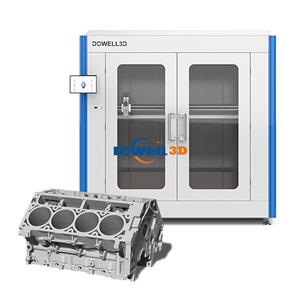
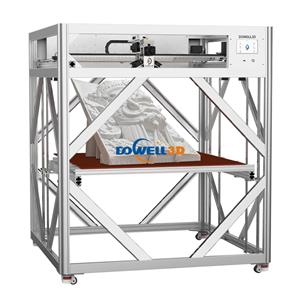
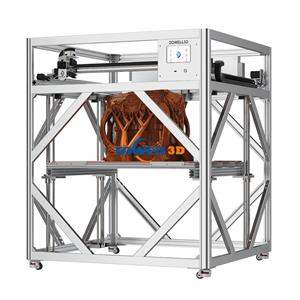
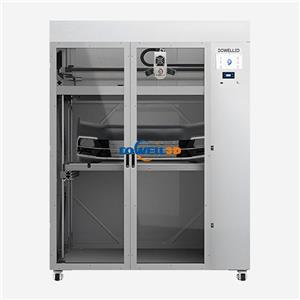
Many users working with a large format 3D printer find that open-access structures, modular components, and
stable extrusion systems reduce maintenance complexity.
This is why industrial-grade systems like those from DOWELL3D are often chosen in production environments—
especially when consistency and uptime are more important than experimental setups.
Conclusion
Maintaining a 3D printer, especially a pellet 3D printer/granule 3D printer, is not complicated—but it does
require discipline. Most printing issues don't come from software or design files, but from neglected
maintenance routines.
A well-maintained system delivers:
More stable print quality
Longer machine lifespan
Lower operational costs
Higher production efficiency
Whether you're scaling production or optimizing prototyping workflows, consistent maintenance is what keeps
your large format 3D printer performing at its best.